
 Use Reflash to test and maintain battery voltage in a vehicle at 13.5 volts to allow for uninterrupted reprogramming of vehicle’s computer, retain vehicle system settings, or simply to maintain battery voltage.
At any time during the test, tap  to return to the previous screen; or
  to return to the Main Menu.
-
Connect the Diagnostic Device test clamps to the battery.
-
At the Main Menu, tap Reflash. The Reflash screen is displayed.
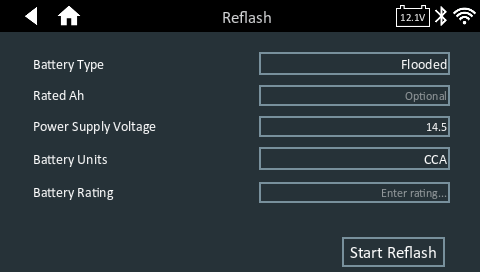
3. Enter the battery information and reflashing parameters. If the displayed information is correct, tap Start Reflash to begin.
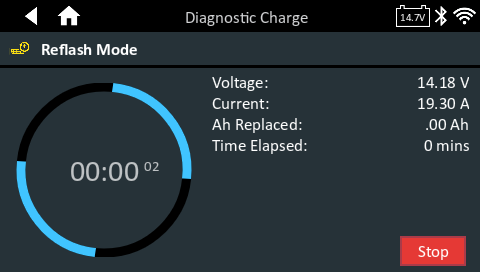
4. When finished tap Step
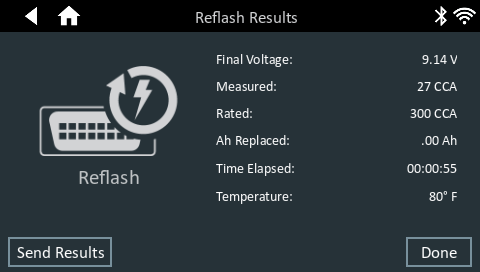
Test results are displayed on the charger screen.
To send the test results to a configured printer or via email, tap Send Results and select an option. To return to the Home Screen, tap Done or to return to the Main Menu.